Do I need to tell the DNO about my EV charger?
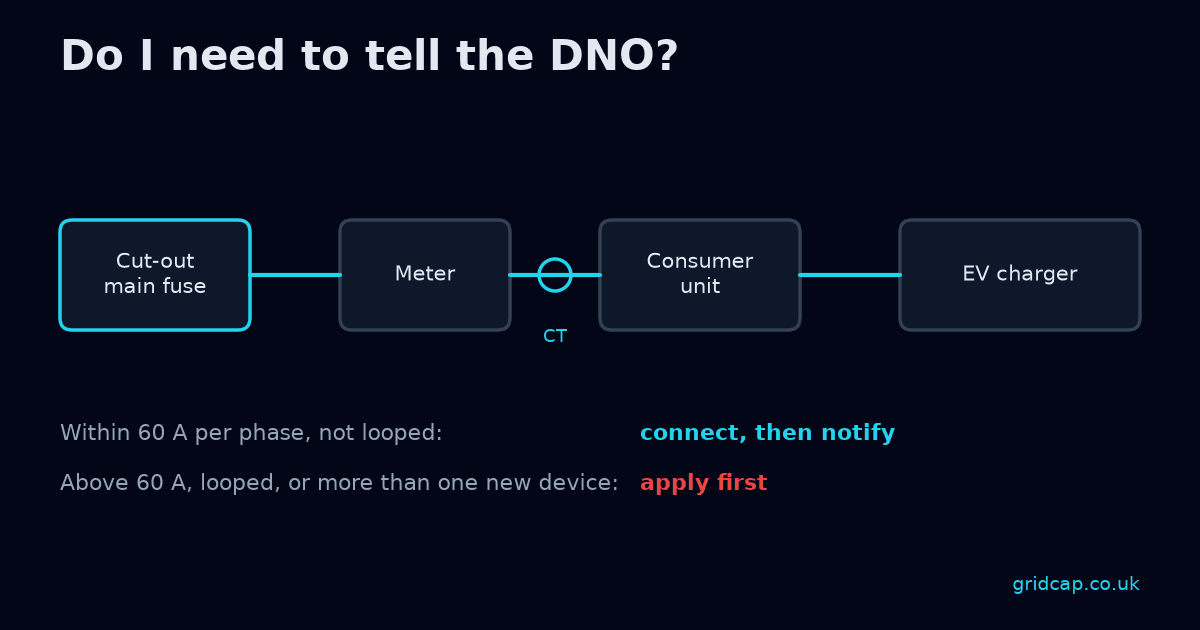
Yes, always. Every EV charger goes to the distribution network operator (DNO), the company that runs the local electricity network. That applies to homes, rental properties and businesses.
So the real question is when: do you notify the DNO after the charger is installed, or apply first and wait for approval? This guide explains how to tell which route a site is on.
The two routes
Connect, then notify. The installer fits the charger, then notifies the DNO. This is the usual route for straightforward jobs.
Apply first, then wait. The installer applies to the DNO before installing and waits for approval. This takes longer, so it's worth spotting early.
When you can usually connect first
If the property's total demand, including the new charger, stays within 60 A per phase, and the supply isn't looped, the installer can usually connect first and notify the DNO afterwards.
"Per phase" matters. A single-phase home has one phase. A three-phase business has three, and each is checked on its own.
When you need to apply first
Apply to the DNO first, and wait for approval, if any of these apply:
- Total demand goes above 60 A per phase once the charger is added.
- The supply is looped, meaning it shares a service cable with a neighbouring property. See our guide to looped supplies and EV chargers.
EREC G100 load management changes this. If load management keeps the property at 60 A or less whenever the new charger or heat pump runs, and fails safe, it can usually stay on connect and notify. If it's used to manage to a limit above 60 A, apply first. See what G100 is.
Solar panels and batteries
Solar panels and batteries count as generation. If the property has or is getting either, G98 or G99 applies on top of the charger question.
Worked example
These figures are an illustration only.
A small business has a single-phase supply and wants one 7 kW charger, which draws about 32 A.
- If the existing peak is, say, 22 A, adding 32 A gives 54 A before the margin. Half-hourly meter data is a 30-minute average, so the installer adds a margin. If the total still stays within 60 A and the supply isn't looped, they can usually connect first and notify afterwards.
- If the existing peak is, say, 35 A, adding 32 A gives 67 A before the margin. That is already over 60 A, so the installer applies first. If load management keeps the property at 60 A or less whenever the new charger or heat pump runs, and fails safe, it can usually stay on connect and notify. If it's used to manage to a limit above 60 A, apply first.
- If the business is also adding solar panels, G98 or G99 applies on top either way.
How Gridcap helps
The free check uses the main fuse rating and what you plan to add to show whether the supply looks green, amber or red. Green usually points to connect and notify. Amber and red usually point to applying first.
For amber and red results, the £49 report sets out the full calculation and, where relevant, the G100 load management limit. It gives your installer the evidence they need for the DNO application. The DNO makes its own decision. Gridcap can't tell whether a supply is looped, so check that with the DNO.
FAQ
Do I need to tell the DNO about a home EV charger? Yes. Every charger goes to the DNO. A simple job usually means notifying after installation. A bigger one means applying first.
Who tells the DNO, me or the installer? Normally the installer, as part of the job. Ask them which route your site is on before work starts.
What if my supply is looped? Expect to apply first and wait for the DNO's answer.
Does load management mean I can skip the DNO? No, the DNO is still notified, but a scheme that holds the property at 60 A or less can often avoid applying first.
I'm adding a heat pump as well. Is that a separate notification? Both the heat pump and the charger go to the DNO, and the installer can usually cover them together.
I'm adding solar too. Is that the same paperwork? No. Solar and batteries are generation, so G98 or G99 applies on top.
Check which route you're likely on
Enter the main fuse rating and what you plan to add, and see whether your supply looks green, amber or red. Run the free supply check.